AI novel writing, with you in controlEarly development

A whole novel.
Still your story.

Follow an idea all the way to a manuscript. Plan, draft, and revise with AI in a quiet workspace that keeps your characters, scenes, and story threads connected.

Runs locally. Your files. Your final say.
The writing deskA little structure. A lot of possibility.
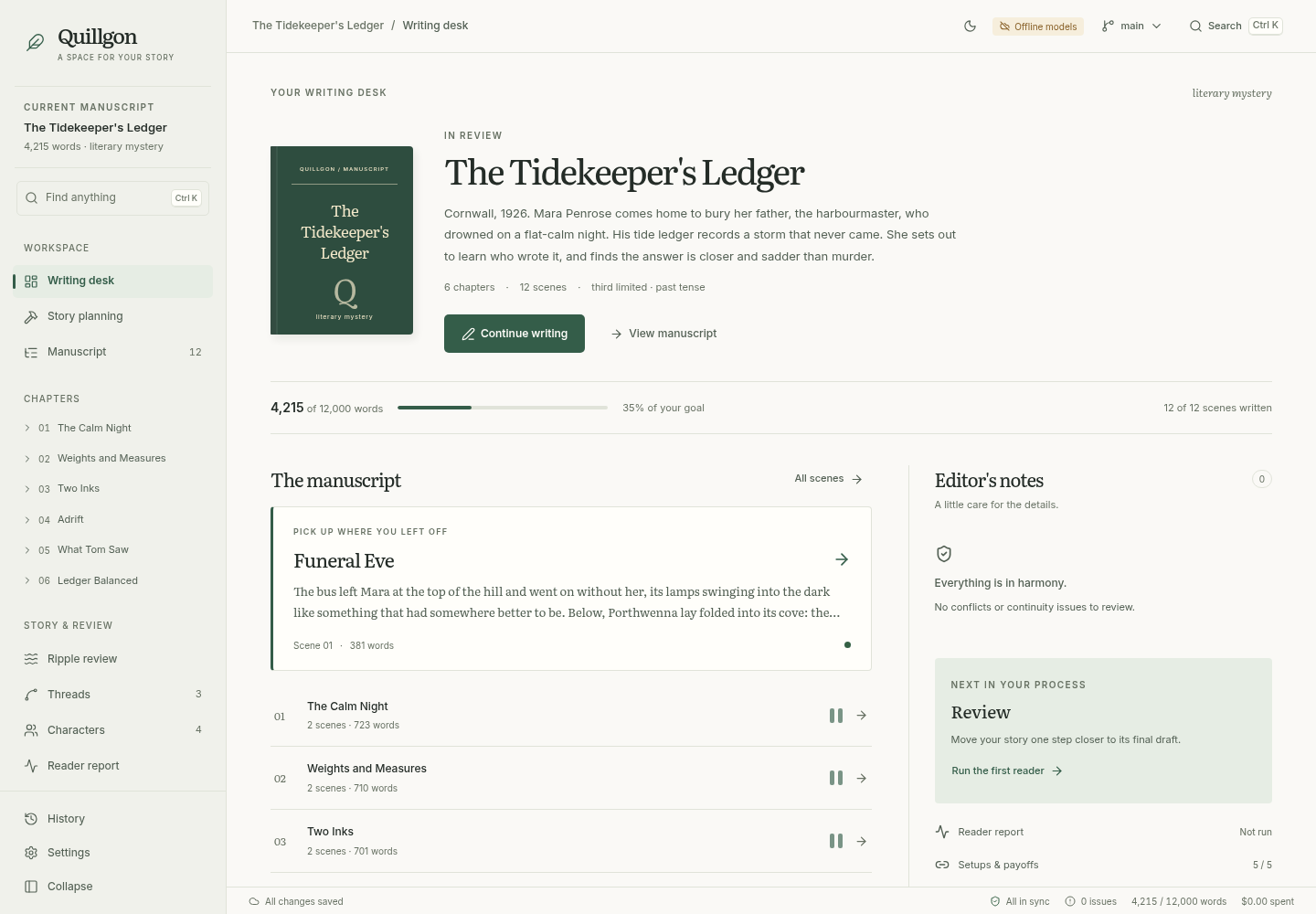
Quillgon writing desk showing the sample novella, chapter list, writing progress, and editor notes
Meet Quillgon, your editorial workspace.From first idea to the next revision.

Your story stays connected

Every revision gets your review

Your manuscript lives with you

A story is more than its sentences

Change one thing.
See what follows.

Move a reveal. Change what a character knows. A small revision can reach chapters ahead.

Quillgon traces those connections and brings the affected scenes back for review. You decide which changes belong in your book.

How story continuity works
Follow a revisionIllustrative example
Choose a story change
Your change

Mara discovers the ledger one chapter earlier.

  1. 04
    The discovery

    Move the moment she learns the truth.

    Changed
  2. 07
    The confrontation

    Her questions may need to change.

    Review
  3. 11
    The reckoning

    Check the payoff still feels earned.

    Review

One change. Three connected moments. You choose what to keep.
The workspace

Room for the writing.
Support for the whole book.

Less searching through notes. More time inside the story. Keep the details close without crowding the page.

Stay with the sentence.

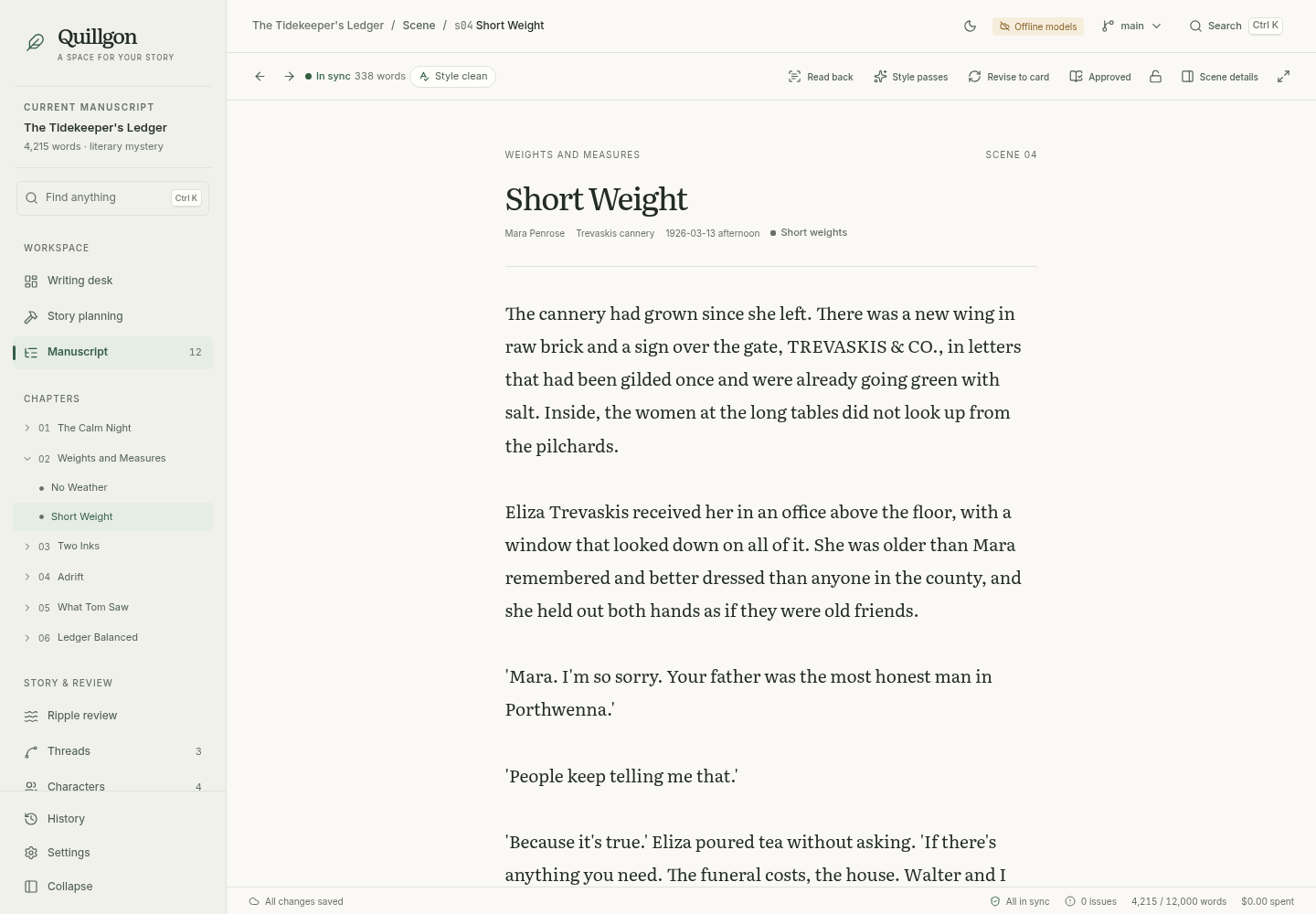
A generous reading column, chapter navigation, and scene details that open when you need them. Draft with AI, write by hand, and keep the story behind the prose in view.

Explore writing & revision
Quillgon scene editor with chapter navigation and a focused manuscript reading column

Give the idea somewhere to go.

Grow a premise, pin the moments that matter, and compare alternative structures before drafting. Work from intent to plot points, chapters, and scene cards.

Explore story planning
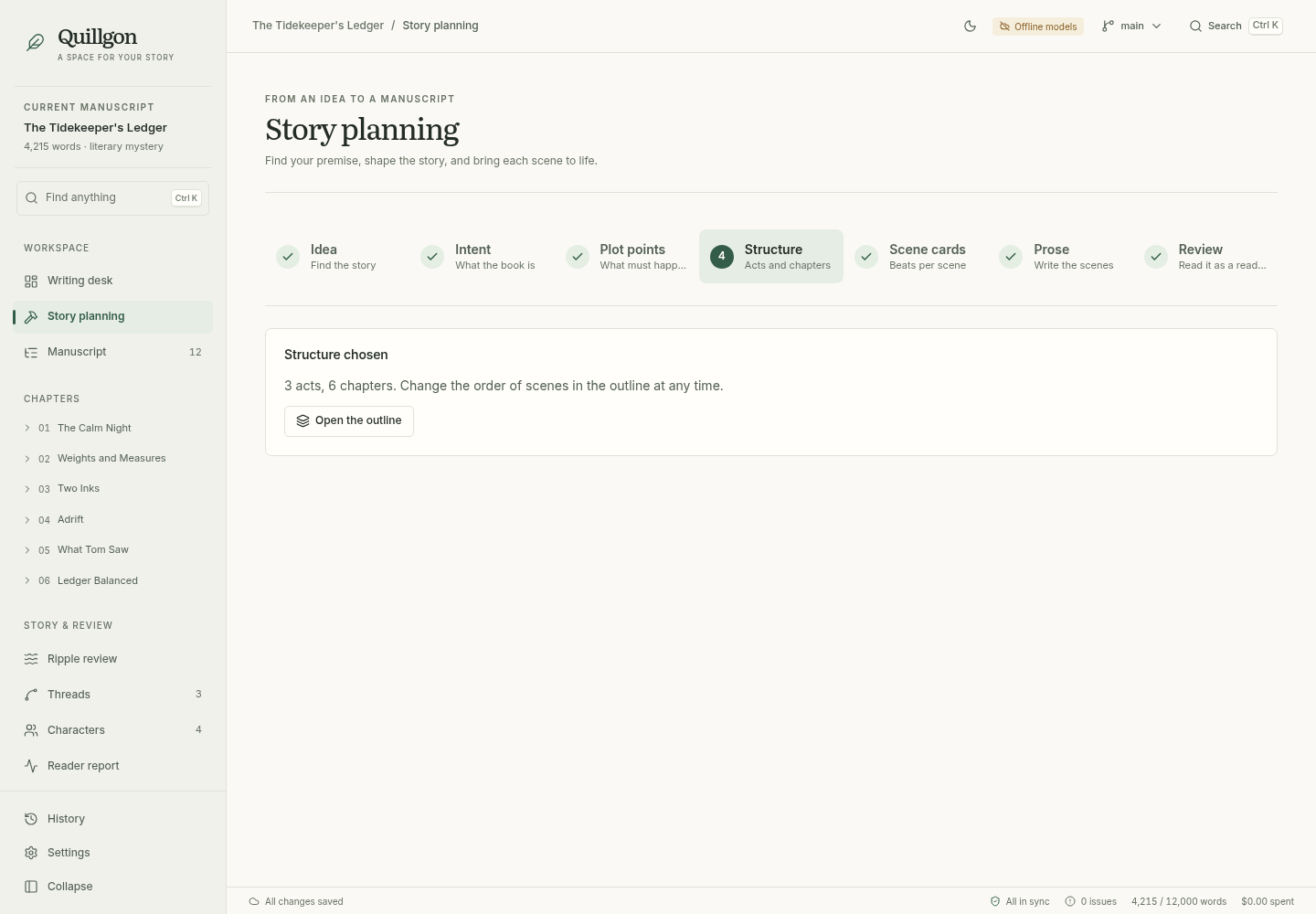
Quillgon story planning workspace with intent, plot points, structure, and scene card stages

Remember what you promised.

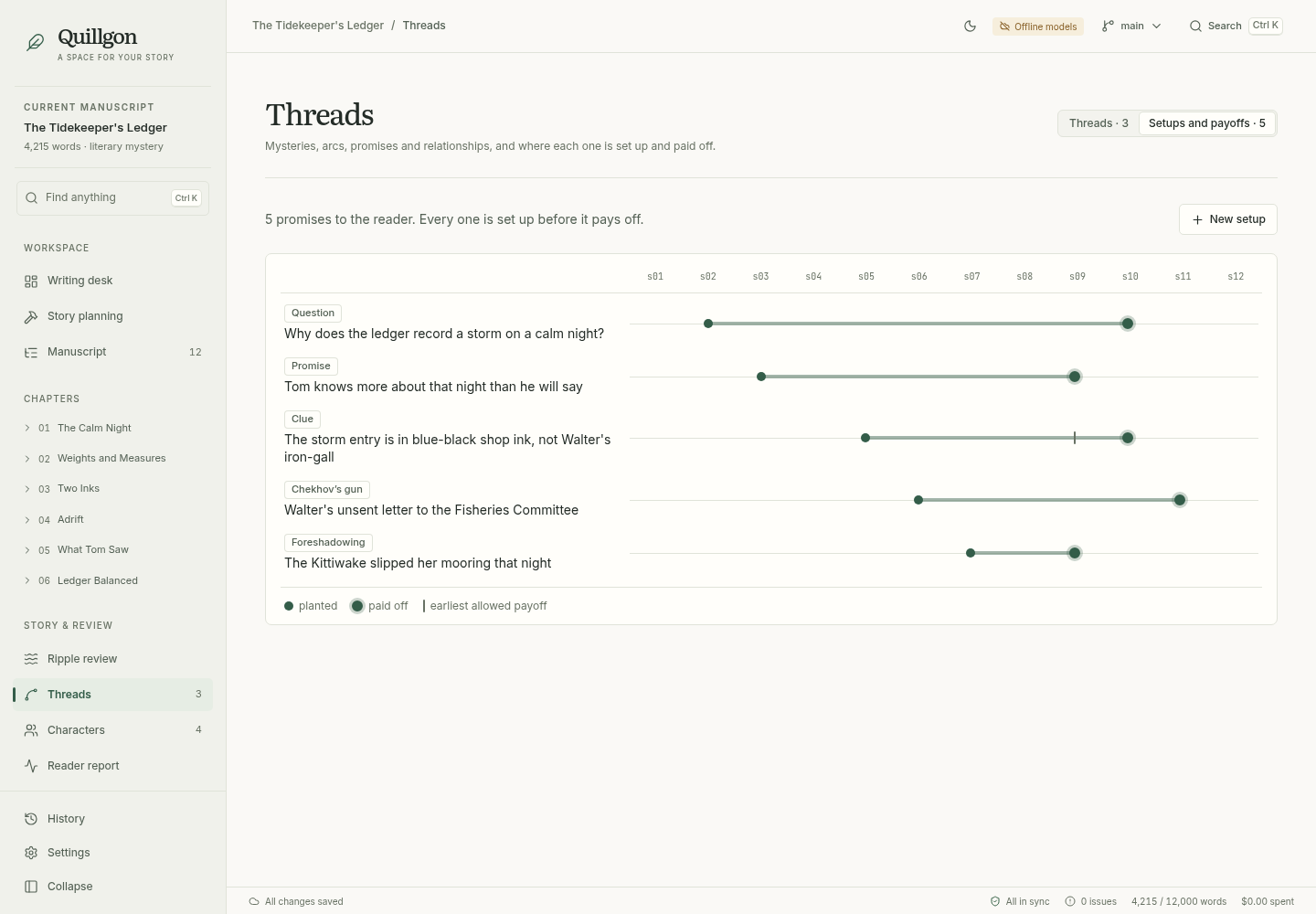
Follow clues, unanswered questions, and character promises from setup to payoff. The obligations ledger helps you see the threads still waiting to be resolved.

Explore story continuity
Quillgon setups and payoffs ledger tracking planted and resolved story obligations
An idea, with a way forward

Build the book.
One decision at a time.

See the planning process
  1. I.

    Find the premise

    Start with a seed. Explore possibilities, keep what sparks something, and make the idea your own.

  2. II.

    Shape the story

    Set your intent, pin plot points, and choose between alternative structures and scene beats.

  3. III.

    Write the scenes

    Draft from the plan, refine the prose, and check it against the style rules you choose.

  4. IV.

    Follow the threads

    Review continuity, setups, payoffs, and reader feedback. Keep the revisions that serve the book.

A manuscript you can hold on to

Your work belongs
on your desk.

Your book lives in local Markdown and YAML files, with Git history behind each revision. Open the files in another editor, explore a what-if branch, or export the manuscript.

Take a look under the cover

Local files, readable formats

Your story is stored on your computer, outside a hosted writing account.

Your models, your choice

Use OpenAI by default, or connect your Codex subscription locally. AI requests send relevant story context to your provider.

A way back

Review proposed revisions and use the book’s Git history to revisit earlier decisions.

Notes on the craft

A little help
with the bigger picture.

Practical ways to give a long story structure, keep its promises, and make revisions with intention.

Before the first chapter

A few good
questions.

What is Quillgon?

Quillgon is a local novel-writing workspace with AI-assisted planning, drafting, and revision. It connects your intent, scene cards, characters, and plot threads so you can inspect the effect of a change across the story.

Can I try it without an API key?

Yes. Run the app from source and choose Offline models, then open the sample novella. You can explore the interface and workflows without a key. Offline generation produces placeholder text; it is not a local creative writing model.

How do I get it?

Quillgon currently runs from source using Node.js and pnpm. There are no packaged installers linked here yet. The getting started guide walks through setup and opening the sample manuscript.

Where does my manuscript go?

The book is stored in local files. When you use a connected AI provider, relevant story context is sent to that provider for generation or analysis. Review the provider’s data policy before using sensitive material.

What does AI generation cost?

You supply the provider connection, and model usage is billed according to that provider’s terms. Quillgon logs model calls and estimated costs in your book. Costs depend on the models and the amount of planning, writing, and revision you run.

Is it ready to write a full-length novel?

Quillgon is in early development. Its offline workflows and sample novella are tested, but an end-to-end live-model run for an 80,000-word novel is still an open validation step. Treat it as an evolving writing tool and keep backups of important work.

A place for your next chapter

The story is yours.
Make room for it.

Open the sample manuscript. Follow a thread.
See what your next story could become.

Get started with QuillgonEarly development · Runs from source · Bring your own models