Quillgon is in early development and currently runs from source. You will use a terminal for setup. There are no packaged Windows, Mac, or Linux installers offered here yet. Download the source preview or clone the repository below.
1. Get the prerequisites
Install Node.js 22 or newer and pnpm 10. Install Git if you want to clone the repository instead of downloading the ZIP. Then open a terminal in the folder where you keep your projects.
2. Get Quillgon and build the interface
Prefer a ZIP? Open the source preview release, download the source archive, extract it, and run the last three commands below inside the extracted folder. Git users can run the full set:
git clone https://github.com/JeremySNR/quillgon.git
cd quillgon
pnpm install
pnpm build
pnpm serve
Open http://127.0.0.1:4317 in your browser and choose Open the sample novella. Keep the terminal running while you use the app.
To launch the Electron desktop shell instead, stop the server with Ctrl+C and run pnpm desktop. The desktop shell needs Node.js on your PATH.
3. Explore a complete small story
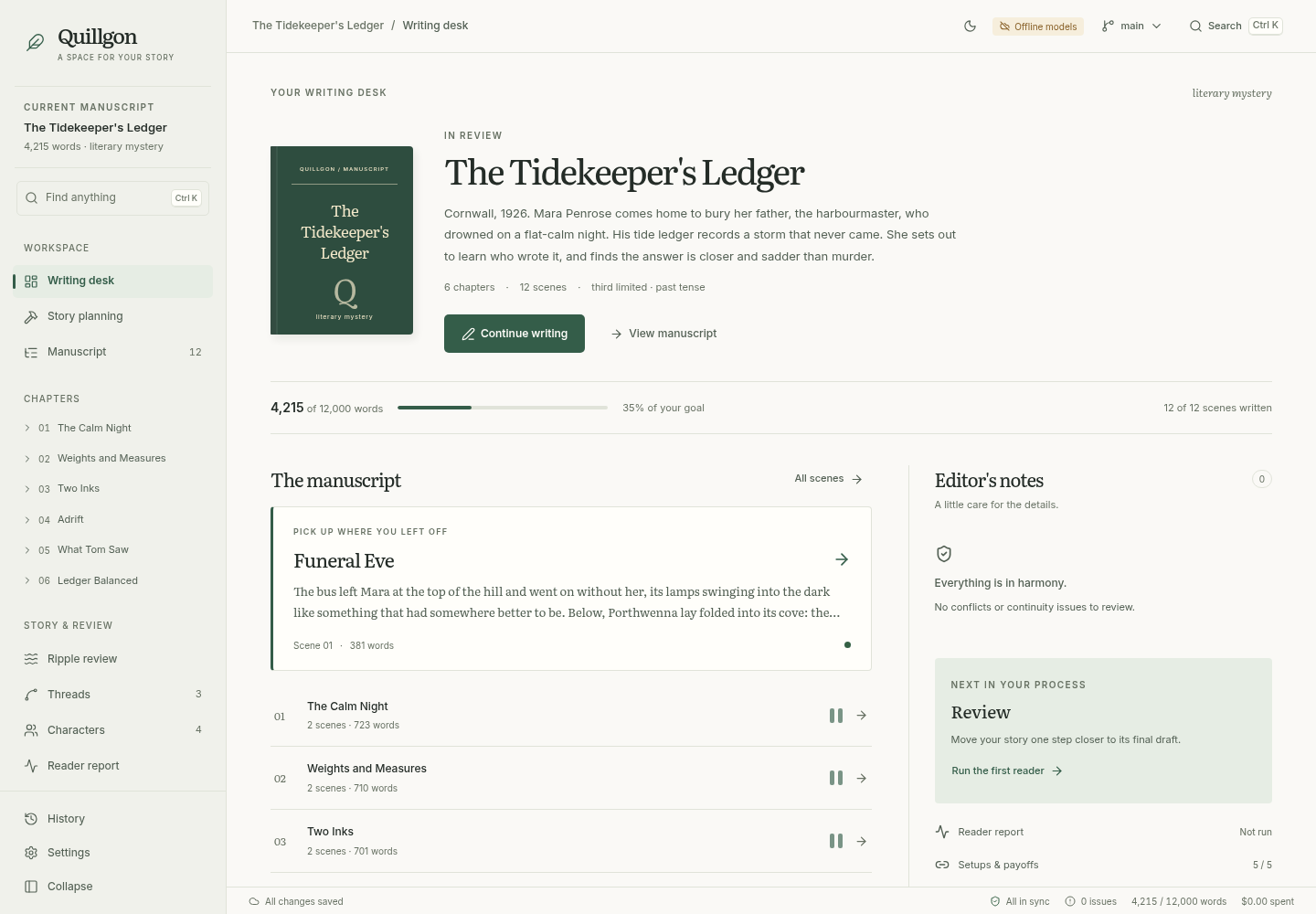
“The Tidekeeper’s Ledger” includes twelve scenes, four characters, and three threads. Start at the Writing desk, open a scene, then explore Characters and the setups and payoffs ledger to see how the book is connected.
4. Try the workflow without a key
When creating a book, choose Offline models. This lets you explore planning, generation, and review without a provider connection. Offline output is placeholder text; it demonstrates the workflow rather than the quality of AI writing.
5. Connect a model when you are ready
OpenAI is the default. Set OPENAI_API_KEY in the environment of the process that launches Quillgon, then restart it. Quillgon uses the OpenAI Responses API; API usage is billed separately from ChatGPT subscriptions. You can choose other providers in Settings → Models. Do not put a key in a manuscript, share it in an issue, or enter it on this website.
Already have a Codex subscription?
Install the Codex CLI and run codex login on this computer. Sign in with ChatGPT, then choose Codex subscription when creating a book or in Settings → Models and save. Leave the model blank to use your account default. Your plan must include Codex; model access and usage limits apply.
The integration runs locally through the official Codex SDK. Authentication stays with Codex. Subscription requests never fall back to paid API calls. A $0 API cost in Quillgon’s logs means subscription usage, not unlimited usage.
AI generation and analysis send relevant story context to the configured provider. Provider charges and data policies apply. You can adjust model tiers in Settings → Models and inspect the book’s cost logs.
What to expect from the current version
The sample and offline workflows are tested. A live-model run for an 80,000-word novel is still pending, so expect rough edges and keep backups. The repository’s README lists what is verified and what remains to be tested.
Make it your own
Explore a premise, open the planning stages, and write a scene. When something feels wrong, report the steps and expected behaviour in the issue tracker.