A novel outline is a set of decisions you can return to: what the protagonist wants, what stands in the way, and which moments change the direction of the story. Quillgon keeps those decisions connected to the scenes you eventually write.
Start with intent, then choose a shape
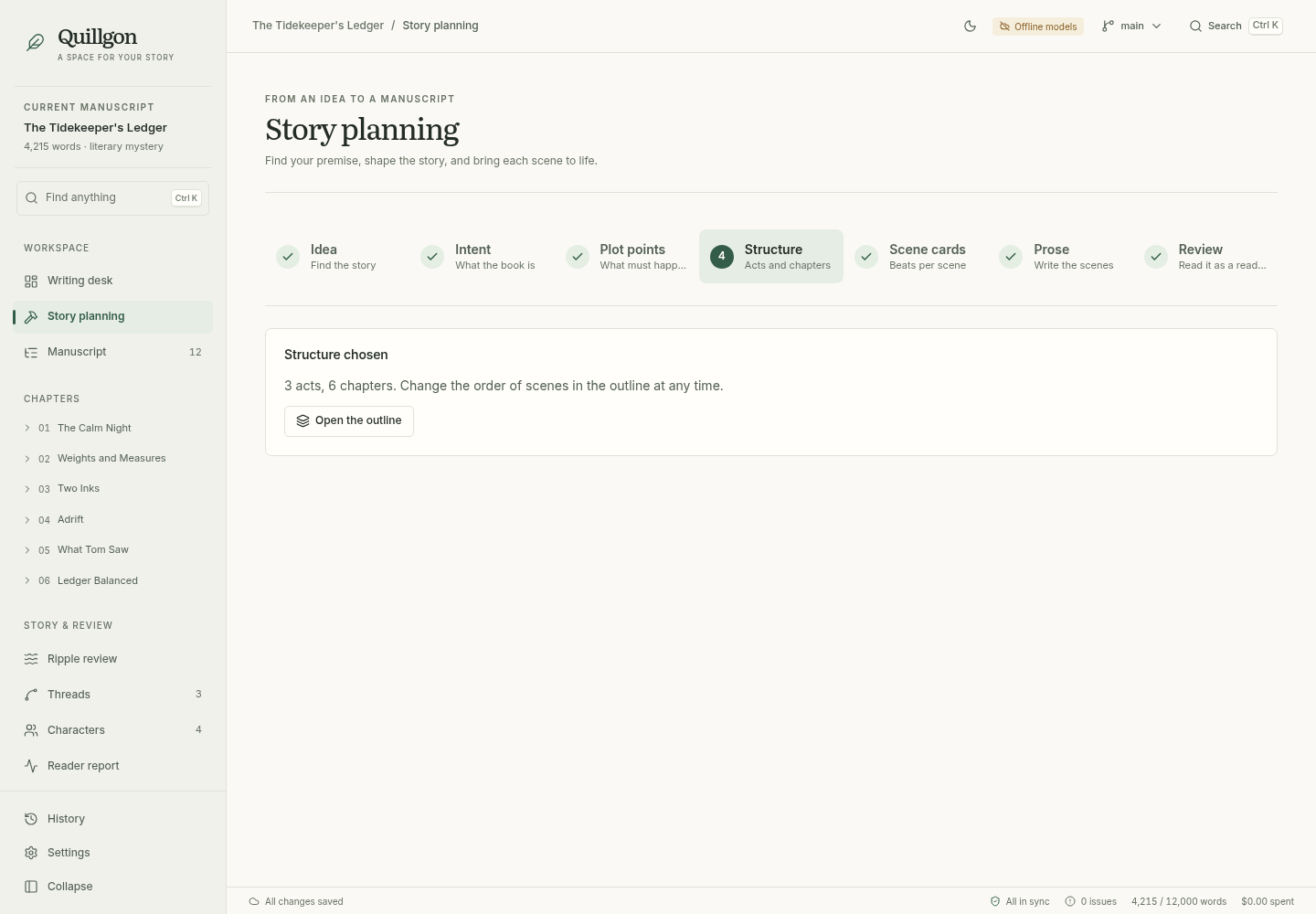
Begin with your premise, tone, and constraints. The planning workflow asks about missing details, lets you pin plot points that must happen, and proposes alternative act and chapter structures. Compare an expected structure with options that break an expectation or take a bigger risk.
You choose the structure before moving into scene cards. A structural critique can help surface flat stakes, passive protagonists, or storylines that all resolve at once. Those are prompts for your judgment, rather than a verdict on the story.
Give every scene a job
Scene cards connect a chapter’s beats to character state and plot threads. Record what the scene changes, what it plants for later, and what it pays off. When you generate prose, that structure becomes the context for the draft.
You can also grow an idea before outlining: explore alternative what-ifs, loglines, characters, and twists, then expand a premise from one sentence to a paragraph, a page, and a cast. If you think best out loud, talk the idea through with a thinking partner that asks questions, pushes back, and writes what you settle onto the same board as you go. Every change it makes is listed, and you can undo it.
Keep the outline open to change
The manuscript view lets you reorder scenes. If an order change conflicts with what a character knows, Quillgon can offer a ripple review. The point of planning is to help you make the next decision, while keeping later decisions possible.
Try it with the sample novella
Open “The Tidekeeper’s Ledger” and explore Story planning, Manuscript, and scene details. Offline mode lets you try the workflow without connecting an AI provider; generated material in that mode is placeholder text.
Open the getting started guide